- Web Analytics
- SEO
- AI Visibility
- Marketing Tools
8 Best Web Analytics Tools in the Age of AI (2026)
As web analytics evolves, complexity and privacy concerns have driven a search for GA4 alternatives. The modern reality also demands insights into AI traffic, a significant new source of content visibility. We compare 8 leading platforms, assessing their ability to provide privacy-compliant tracking, complete data ownership and vital AI chatbot traffic detection. Find the tool built for the next generation of marketing and SEO.


Monte Malukas
Co-Founder @ Peasy. 20+ years in software development and marketing. Founded and exited multiple ventures. Worked with companies from seed stage to global brands on product and growth. LinkedIn
No matter the size of the company, the niche it serves or the goals it pursues, there’s one tool that has always been part of every marketer’s daily routine: web analytics. And quite understandably so. Understanding your website visitors is one of the most fundamental things from which companies can draw meaningful conclusions, track ad effectiveness and ROI, as well as plan and shape strategies that drive real growth.
Best web analytics tools at a glance
- Peasy for unified web analytics and AI visibility
- Cloudflare Web Analytics for server-side accuracy and free infrastructure
- Google Analytics 4 for enterprise features and Google Ads integration
- Plausible Analytics for simple privacy-first tracking
- Fathom Analytics for speed and clean interfaces
- Matomo for self-hosted control and data ownership
- Simple Analytics for minimalist privacy-first tracking
- Umami for open-source flexibility
New Challenges for Web Analytics
Ever since GA4 was introduced, the web analytics space has undergone a tremendous shift, largely fueled by the disastrous user experience from the big G. What was once a beloved and highly regarded platform has turned into a marketer’s nightmare - even bringing some to tears.
In my humble opinion, it’s one of the worst product overhauls in modern digital history. But as the saying goes, one person’s loss is another’s gain.
Companies like Plausible and Simple Analytics were among the first to capitalize on this opportunity, and many more have followed. This “spring awakening” in web analytics was accelerated even further by the introduction of privacy regulations and cookie consent banners.
Marketing and SEO teams found themselves bombarding users with intrusive popups, only to see most visitors click “I do not consent” anyway - losing tracking opportunities in the process.
As a result, we’ve seen an entire new generation of privacy-first web analytics emerge as the go-to choice for teams prioritizing user experience and data ownership over handing valuable visitor information to third-party companies - mostly Google, of course.
But as we enter the second half of this decade, a new challenge is emerging that’s reshaping how businesses monitor web traffic and track visitor behavior: zero-click search and traffic from AI assistants.
How to choose the best web analytics tool for a website?
Web traffic data that was sufficient to make strategic marketing decisions just a few years ago has now become only a small part of the analytics stack that businesses need in order to make better decisions.
With that in mind, a modern web analytics tool needs to deliver six essential capabilities:
- Traditional Web Traffic Monitoring
The basics still matter - pageviews, unique visitors, traffic sources, conversion tracking, etc. But now these metrics need to accurately separate human visitors from bot traffic, something many traditional tools struggle with.
- AI Chatbot Traffic Detection
Tools like ChatGPT, Claude, Gemini, Perplexity and other AI assistants gather information for their responses and refer visitors to your website. Understanding this AI visibility traffic helps you see how visitors are discovering your content through AI chatbot interfaces and how these assistants are using your content - data that doesn’t show up in traditional web analytics, or at least not in great detail.
- Crawler Activity Insights
When AI chatbots or Google AI Overviews cite your content in zero-click searches, users never actually visit your site, but your content still got used. Tracking when and how AI crawlers access your pages gives you visibility into this hidden influence, providing analytical insights into when and how your content is being referenced even without generating traditional web traffic.
- Privacy-Compliant User Behavior Tracking
Rich insights into how real users browse your website, what content drives conversions and where they bounce off - all without invasive tracking methods or cookie consent banners that kill your data collection and increase bounce rate, which can eventually hurt your search rankings.
- Data Ownership and Control
Full ownership of your analytics data, with the ability to export, analyze and use it however you need, without feeding it into someone else’s advertising machine.
- AI-Powered Insights and Reporting
Modern analytics tools need to do more than collect data. Gathering web data is one thing, but understanding what it means is another. AI-powered features that automatically spot important trends, flag unusual patterns and anomalies, highlight missed opportunities and deliver actionable insights help you understand what’s actually happening without spending hours digging through reports or getting lost in endless manual analysis.
| Analytics Tool | Web Traffic | Crawler Insights | Privacy-First | Data Ownership | AI Visibility | Pricing |
|---|---|---|---|---|---|---|
| Peasy | Excellent | Yes | Yes | Full | Yes | Free trial |
| Cloudflare | Excellent | Fragmented | Yes | Partial | No | Free |
| Google Analytics 4 | Excellent | No | No | Google owns | No | Free |
| Plausible | Excellent | No | Yes | Full | No | Free trial |
| Fathom | Excellent | No | Yes | Full | No | Free trial |
| Matomo | Excellent | Manual | Yes | Full | No | Free (self-hosted) |
| Simple Analytics | Good | No | Yes | Full | No | Free trial |
| Umami | Excellent | No | Yes | Full | No | Free (self-hosted) |
Having a web analytics tool that covers all six of these areas allows you to stay ahead of the competition and make informed marketing and SEO decisions for sustainable growth in the AI era.
These were the exact requirements we used when selecting and assembling this list of the best web analytics platforms available today.
This guide covers tools that address these modern challenges: from privacy compliance to AI traffic and crawler analytics. We’ve examined and compared platforms that range from simple, cookieless solutions to sophisticated tools built specifically for the AI era. Whether you’re migrating from GA4 or starting fresh, here’s what actually works today.
Top Web Analytics Platforms That Are Powerful Alternatives to GA4
1. Peasy
- Best for unified web analytics and AI visibility
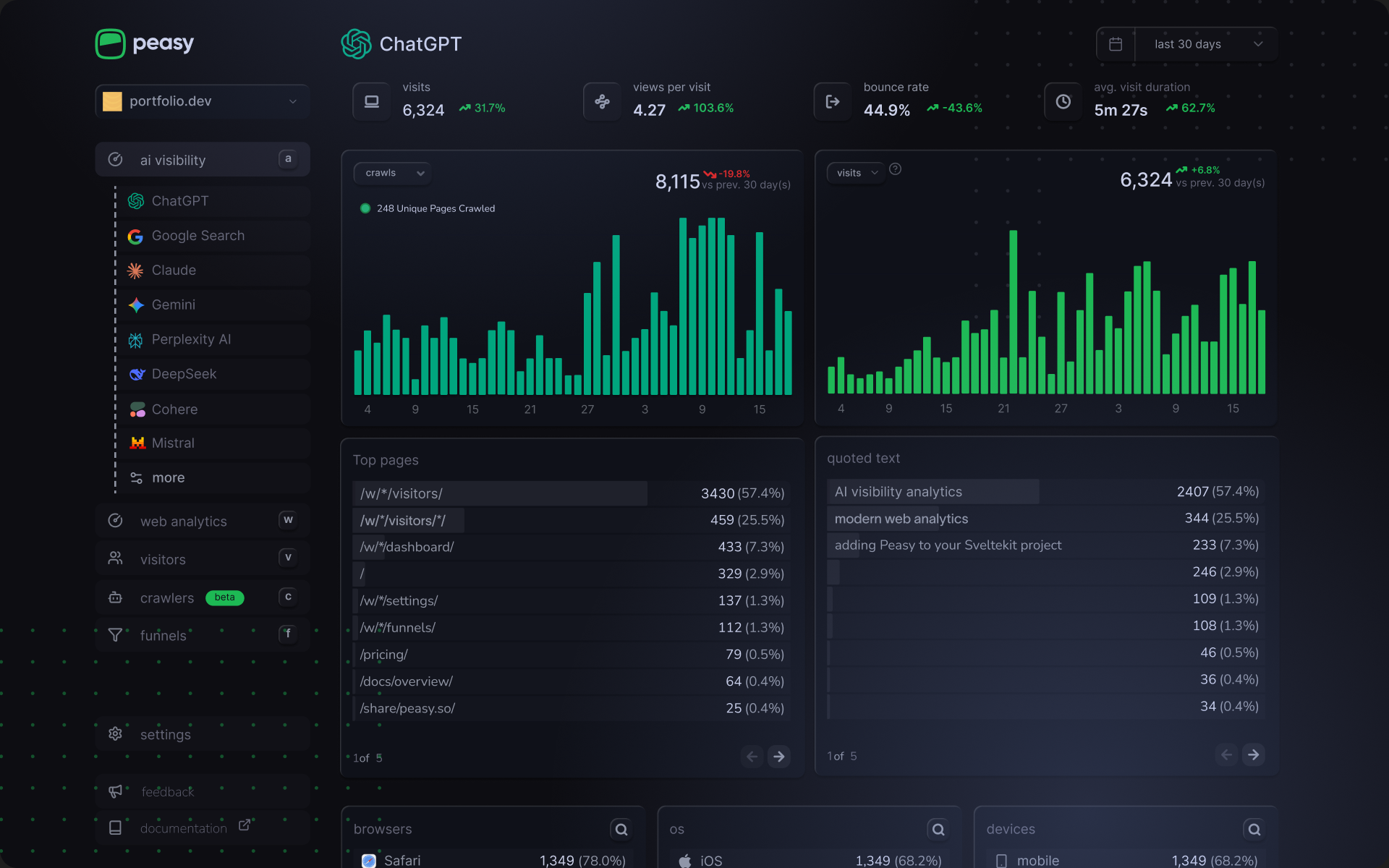
Peasy is a privacy-first web analytics platform that delivers everything you’d expect from modern analytics: pageviews, unique visitors, traffic sources, conversion tracking, visitor behavior - while adding capabilities that traditional tools simply don’t have. It’s built for teams who need accurate, privacy-compliant web analytics but also recognize that understanding your traffic in the age of AI means accounting for how AI assistants interact with your content.
The core analytics experience is clean and comprehensive. You get detailed visitor tracking showing individual sessions, user journeys through your site, user heatmaps, device information, location data, referrers and engagement metrics - all without cookies or invasive tracking methods. The dashboard presents your web traffic data in a clear, modern interface that doesn’t require training to understand. You see top pages, traffic sources, bounce rates, visit duration and all the fundamental web metrics you need to understand how people are finding and using your site.
Peasy integrates directly with Google Search Console, bringing your search performance data into the same dashboard as your web analytics. You can track GSC keywords, impressions, clicks and search rankings alongside your site traffic, giving you a unified view of how content performs across organic search and direct visits. This integration alone saves you from constantly switching between tools to piece together your SEO performance.
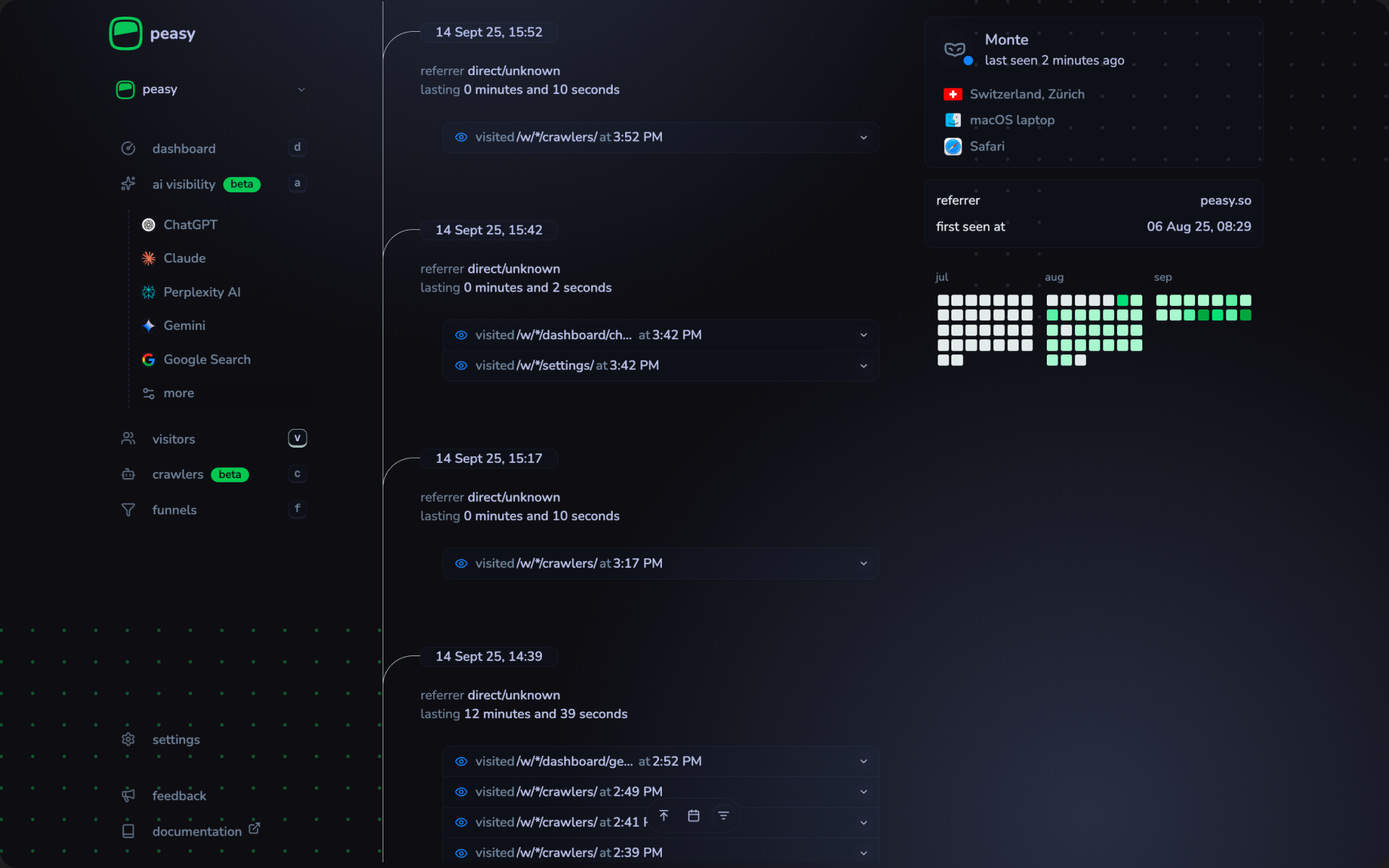
The visitor profiles go deeper than basic analytics. You can see individual user journeys, track custom events, set up conversion funnels and understand exactly how visitors browse through your website. There’s even a AI-powered natural language query feature where you can ask questions like “How many conversions from organic search this week?” and get instant answers, which makes exploring your data more intuitive than clicking through endless menus.
But here’s where Peasy diverges from traditional web analytics in a meaningful way: it gives you complete visibility into AI traffic. While most analytics tools require either filter AI chatbots or lump them into generic web traffic categories, Peasy treats AI assistant traffic as the valuable intelligence it’s becoming. You get dedicated dashboards for ChatGPT, Claude, Perplexity, Gemini, DeepSeek, Cohere, Mistral and other, showing when each platform crawls your content, which pages they access and how often they’re referring traffic back to you.
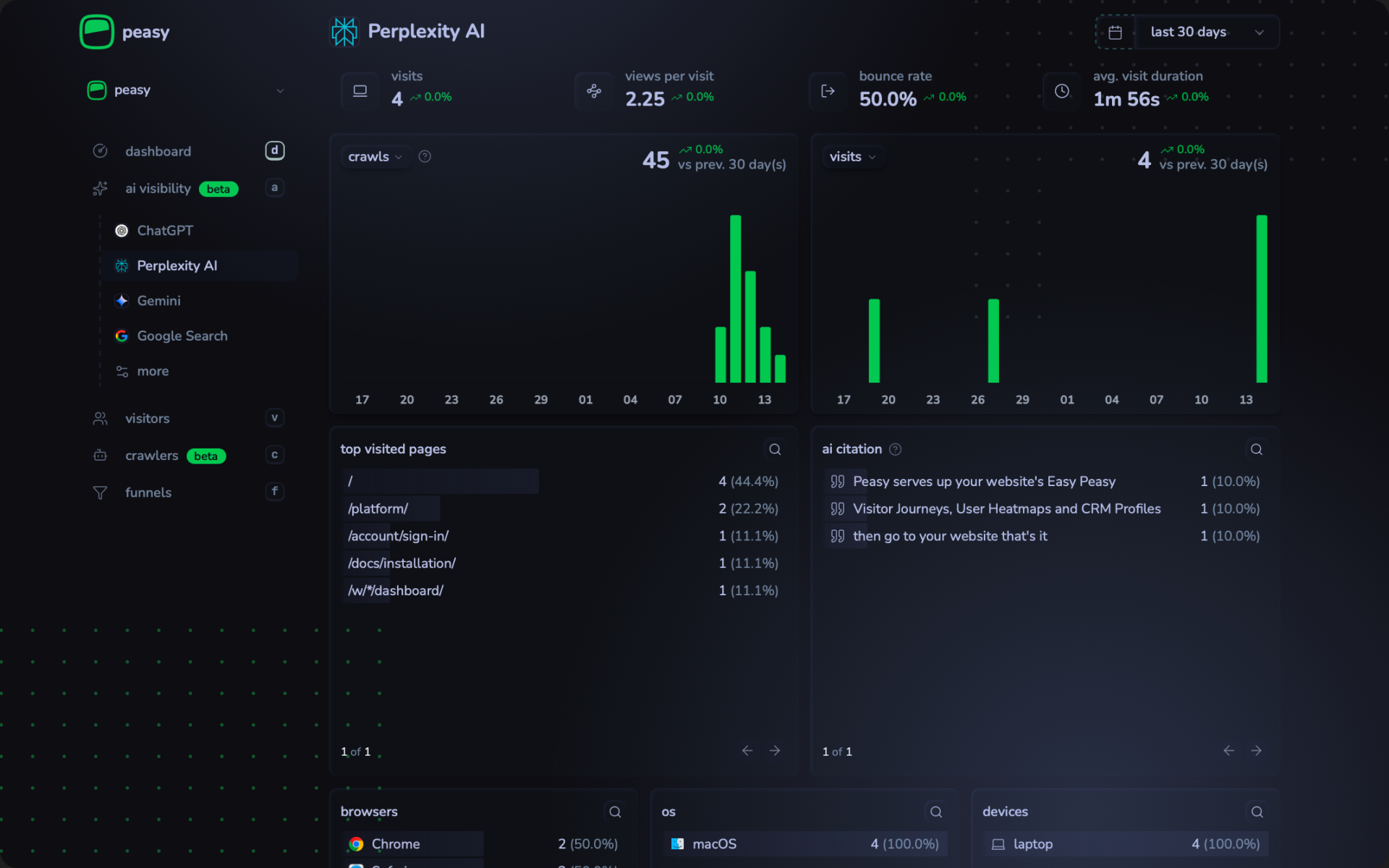
The crawler analytics section breaks down AI bot activity by platform, crawl frequency, user agents and even categorizes crawl purposes - whether it’s indexing, generating chat responses or answering search queries. There’s a simple toggle between viewing just human traffic or seeing the complete view including AI visits, which is useful when you want to understand the full reach and impact of your content.
What makes this particularly valuable is the citation tracking. When an AI assistant like ChatGPT or Perplexity cites your content in their responses, Peasy shows you the actual quoted text and which page it came from. When someone clicks through from an AI answer to your website, you see the full context and attribution. This visibility into how AI platforms are discovering and using your content is something no other analytics platform offers and it’s increasingly important as AI assistants become primary search interfaces for millions of users.
Peasy is fully GDPR-compliant with data stored in the UK, requires no cookie consent banners and respects user privacy by design. Setup is straightforward: paste a single script tag (you can also integrate Google Tag Manager) and you’re running in under 10 minutes. The interface is clean, modern and designed for quick insights rather than endless configuration.
2. Cloudflare Web Analytics
- Best for server-side tracking
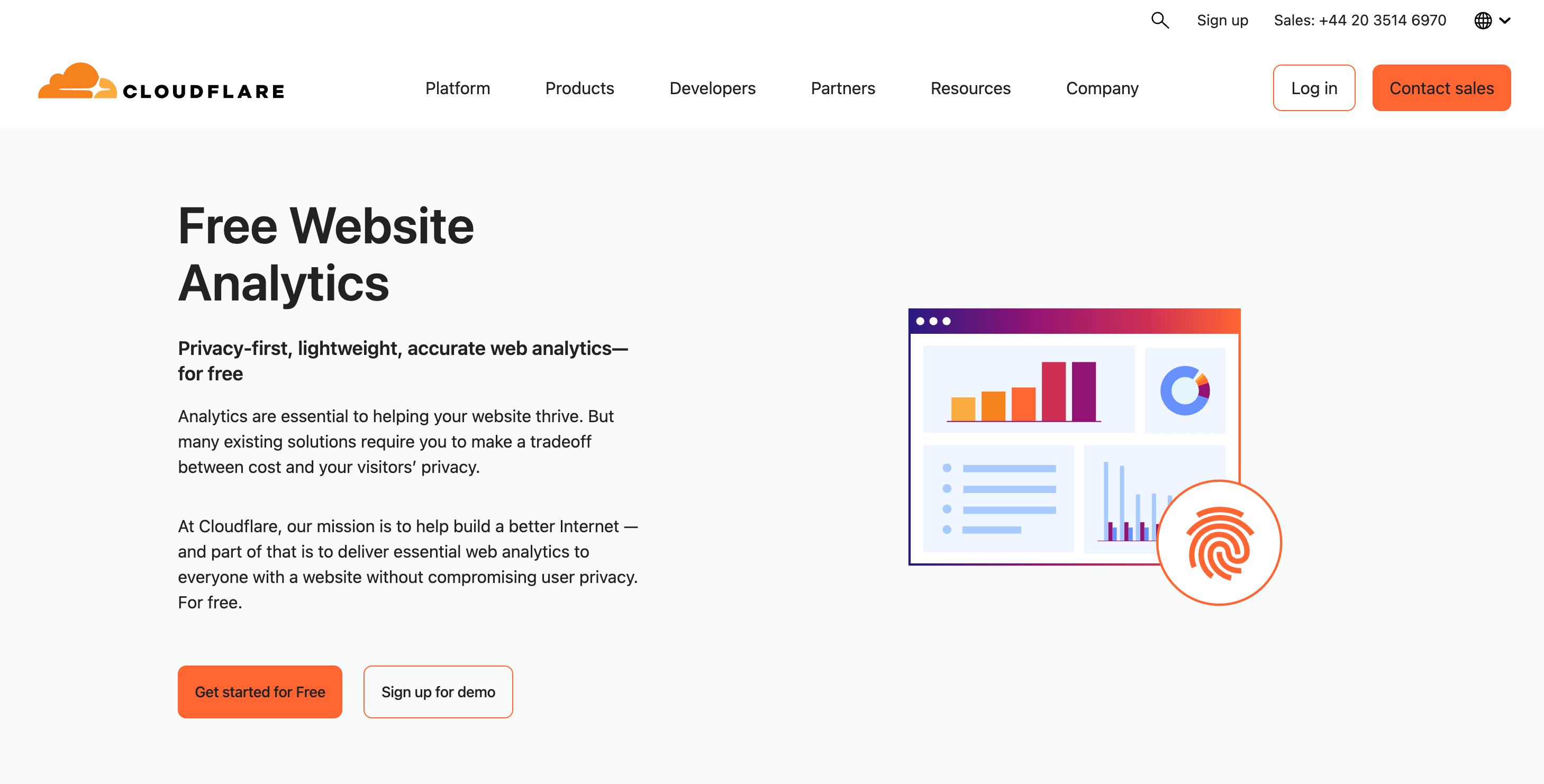
Cloudflare is the behemoth of web infrastructure. It’s one of the bedrocks upon which the majority of the world’s top websites are built or powered by. However, Cloudflare isn’t a name that first comes to mind when talking about web analytics. And to some extent, rightly so. Despite being one of the biggest companies providing a wide range of services - from CDN to security and performance optimization - web analytics is probably just a tiny fraction of their vast tool suite.
But ever since the Cloudflare-Perplexity saga took place, when the AI search company was caught allegedly using questionable tactics to circumvent website content access restrictions (although Perplexity denies it), Cloudflare has become the go-to platform for tracking and controlling how AI companies access and use your content. There’s no doubt that for highly technical teams or businesses with large development resources, Cloudflare has become the primary choice in this regard. Their latest push into offering features like bot management and granular crawler controls, including experimental pay-per-crawl options, only reinforces this position.
Despite the scale and technical magnitude the company offers, one can’t ignore that when it comes to web analytics specifically, it feels inconvenient to track and monitor your web activity across multiple fragmented service segments and dashboards. AI bot detection lives in one place, security analytics in another and web analytics in yet another. There’s no unified view of your traffic intelligence - you’re piecing together insights from different tools within the Cloudflare ecosystem.
Their free, privacy-first web analytics feels more like a strategic on-ramp to hook you into their larger digital infrastructure ecosystem rather than a genuine aim to build the best standalone analytics suite for day-to-day web traffic monitoring. This should come as no surprise considering their products are primarily aimed at enterprise-level companies buying into the full suite of features Cloudflare has to offer - not small teams looking for simple analytics dashboards.
That being said, there isn’t even the smallest amount of doubt that Cloudflare’s web analytics are among the finest of their kind on the market today. Free, privacy-first, lightweight and delivering unrivaled accuracy and performance directly from server-side logs. Because Cloudflare sits at the network edge, their data bypasses browser-based tracking limitations entirely - no JavaScript required, no ad blockers interfering, no cookies needed. This server-side approach means their traffic data is fundamentally more accurate than browser-based alternatives, especially when it comes to bot detection and controlling AI crawler traffic.
For teams already using Cloudflare for DNS, CDN or security - which is a substantial portion of the web, adding their analytics is essentially a one-click decision. You’re already paying for (or using their free tier of) infrastructure services, so the analytics come as a natural extension. But for teams not in the Cloudflare ecosystem, adopting their analytics means committing to their broader platform, which may be overkill if all you need is straightforward web traffic insights.
3. Google Analytics (GA4)
- Best for ad campaigns
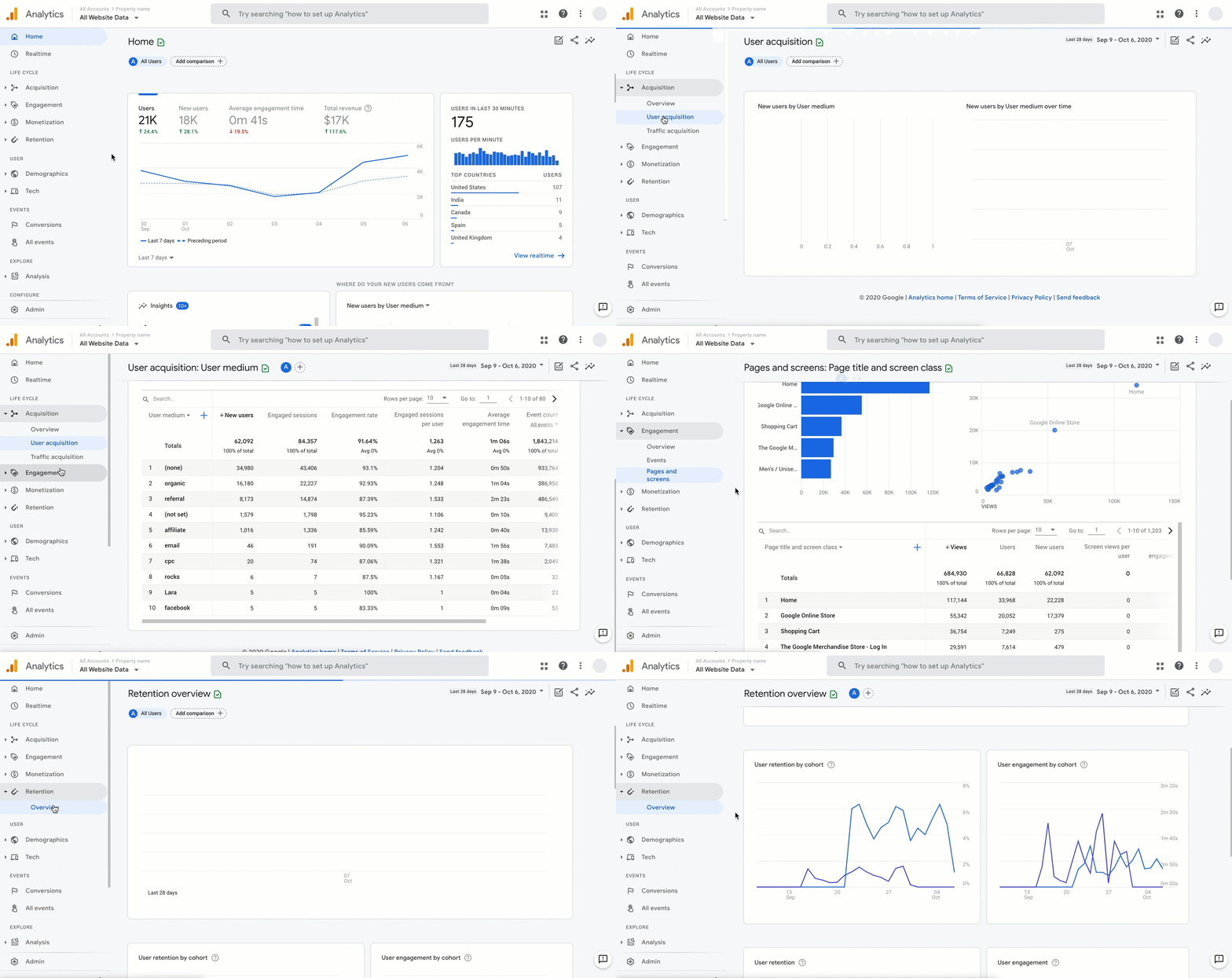
Google Analytics needs no introduction. It’s been the dominant player in the web analytics space ever since its launch in 2005. But ever since its infamous GA4 overhaul, satisfaction among SEO experts and marketers has been sliding downhill. The rapid growth of GA4 alternatives in recent years strongly supports this trend.
From the saying “the good, the bad, and the ugly,” GA4 probably deserves the latter two. It would be quite hard to find a news story or blog post that highly praises the usability and user experience of Google Analytics. Yet its free price tag and deep integration into Google’s entire ecosystem - most importantly its advertising network, conversion tracking and campaign management - makes it difficult to switch to a different web tracking tool. For businesses heavily reliant on Google Ads as their primary acquisition channel, abandoning GA4 feels like cutting off a limb.
As poor as it is from a user experience perspective, no one would argue that it’s the most feature-rich web analytics tool ever built. The problem is that despite this depth of features, the core functionality is now struggling to deliver what modern marketing and SEO teams actually need.
A perfect example of this gap: citations and web traffic from AI chatbots. Without manually setting up regular expressions (regex) for advanced filtering, Google Analytics has virtually no native capability to track and report on the increasing traffic from AI assistants like ChatGPT, Claude, Perplexity or Gemini. There’s no out of the box AI traffic segmentation, no automated bot classification for LLM crawlers and absolutely no ability to report on crawler events the way Cloudflare or Peasy does. You’re essentially flying blind on one of the fastest-growing traffic sources of 2026.
Looking at Google Analytics’ latest updates tells a revealing story about where the platform is heading. In October 2025, Google introduced the ability to import cost data from Meta and TikTok ads, allowing advertisers to automatically track ad spend from these platforms within GA4. Then in November 2025, they rebranded “Cost data import” to “Campaign data import” to better reflect its primary function: importing campaign-level metrics like cost, clicks and impressions from non-Google advertising platforms.
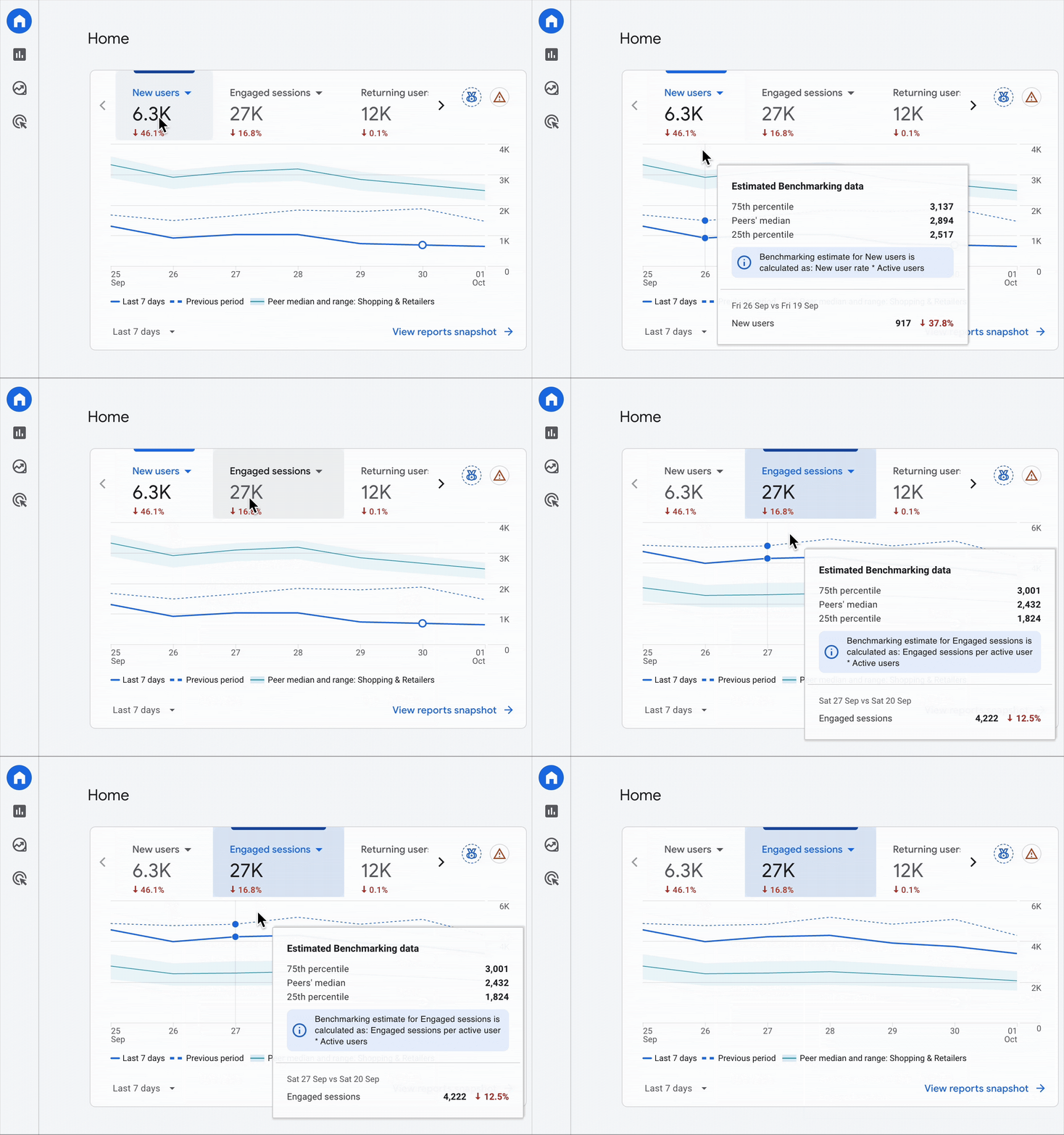
The pattern is clear: Google Analytics is being repositioned as a campaign tracking and ad attribution tool rather than a comprehensive web analytics platform. If you’re looking for an all-around analytics solution to gather insights for broader growth strategies beyond paid advertising, considering an alternative might be wise, especially since many modern web analytics tools now offer Google Tag Manager integration anyway.
As third-party cookie deprecation continues and privacy regulations tighten, Google Analytics (long criticized for its invasive tracking methods) is slowly becoming the last option on recommendation lists rather than the first. Even high-spend advertisers running significant Google Ads campaigns are increasingly turning to server-side tracking solutions like Stape to maintain data accuracy while respecting user privacy, rather than relying solely on GA4’s client-side tracking.
The rise of AI search visibility and the need for analytics that go beyond basic pageview tracking raises an important question: is the “free but frustrating” trade-off worth it when the tool can’t even tell you about a major chunk of your traffic?
Google Analytics still makes sense for certain use cases: large enterprises with complex attribution needs, businesses running heavy Google Ads campaigns or teams that need deep integration with Google’s marketing stack. But for most marketing and SEO teams focused on understanding real user behavior, tracking AI visibility or making data-driven growth decisions, GA4’s limitations are becoming harder to ignore.
That said, if there’s one company that can turn things around and ship transformative updates, it’s Google. Whether they will remains to be seen.
4. Plausible Analytics
- Best for simple privacy-first tracking
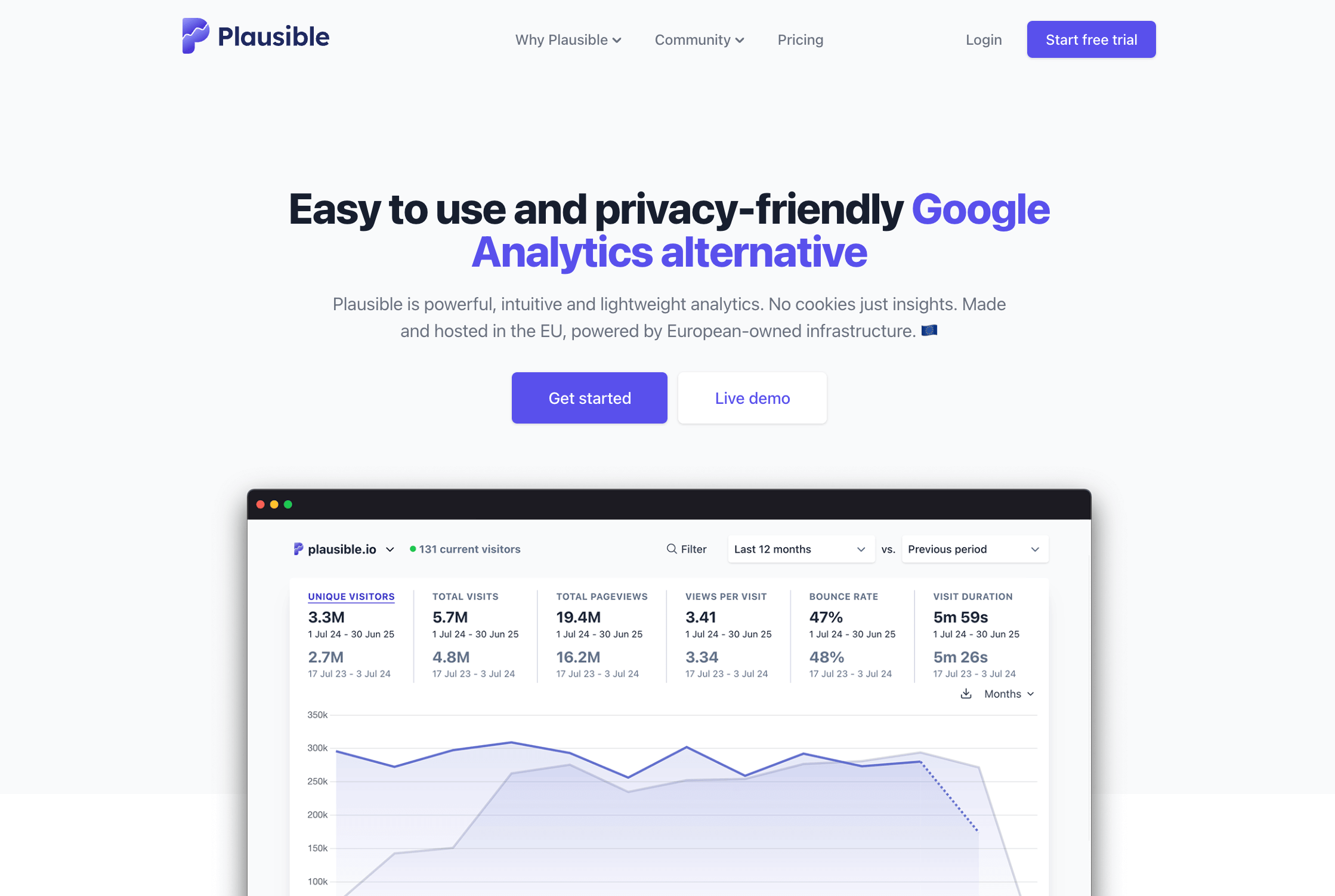
Plausible is one of the OG players in the privacy-first web analytics movement. Launched in 2019, right when GDPR compliance was becoming a nightmare for marketing teams across Europe, Plausible positioned itself as the antidote to Google Analytics’ bloated, cookie-dependent tracking. And honestly, they nailed the timing.
What makes Plausible stand out is its refreshing simplicity. When you log into their dashboard, you’re greeted with a clean, minimalist interface that shows you exactly what you need to know - nothing more, nothing less. No endless menus, no confusing navigation, no certifications required to understand your data. I think this is precisely why so many indie developers, small agencies and privacy-conscious companies gravitated toward it in the first place. It just works, and it doesn’t make you feel stupid in the process.
Plausible is fully compliant with GDPR and other privacy regulations without requiring annoying cookie consent banners. This alone is a massive win for user experience and conversion rates. We’ve all seen how intrusive popups kill engagement and drive visitors away, Plausible eliminates that friction entirely. Their script is also incredibly lightweight (less than 1KB), meaning it won’t slow down your site or impact Core Web Vitals, something GA4’s bloated scripts definitely struggle with.
But here’s where Plausible starts to show its limitations: it’s built for simplicity, not depth. If you need advanced features like funnel analysis, detailed user behavior tracking or sophisticated segmentation, you’ll quickly hit a wall. Plausible deliberately keeps things minimal, which is great if that’s what you want, but frustrating if you need more analytical firepower.
And when it comes to the modern challenge of AI traffic, Plausible offers basic bot filtering, but nothing close to what tools like Peasy or Cloudflare deliver. You can see traffic sources and referrers, but there’s no native AI chatbot detection, no crawler activity insights and no visibility into zero-click searches or when AI assistants cite your content. If you’re trying to understand how ChatGPT or Perplexity are discovering and using your content, Plausible won’t give you those answers. It’ll tell you how many humans visited your site, but the AI visibility layer is missing.
The pricing is straightforward and affordable starting at $9/month for up to 10,000 monthly pageviews, but it scales up quickly as your traffic grows. For a site doing 100,000 pageviews per month, you’re looking at $19/month with limited features and beyond that, costs increase further. It’s still reasonable compared to enterprise tools, but for teams on tight budgets, the scaling can add up, especially when free alternatives like Cloudflare exist.
Plausible also offers full data ownership. Your analytics data lives on their European servers (if that matters for compliance), and you can export everything whenever you need. There’s no data sharing with third parties, no feeding your visitor information into an advertising machine - it’s genuinely privacy-respecting in both philosophy and practice.
So where does Plausible fit in 2026 and beyond? I’d say it’s still an excellent choice for teams that value simplicity and privacy over advanced features. If you run a blog, a small SaaS product or a content website and just need clean, reliable traffic data without the complexity of GA4, Plausible delivers exactly that. But if you’re navigating the AI era and need deeper insights into how bots, crawlers and AI assistants interact with your content, you’ll need to look elsewhere.
Plausible does what it does very well - it’s just that what it does is intentionally limited. And in a world where web analytics requirements are expanding rapidly, that might be both its biggest strength and its most significant constraint.
5. Fathom Analytics
- Best for speed and clean interface
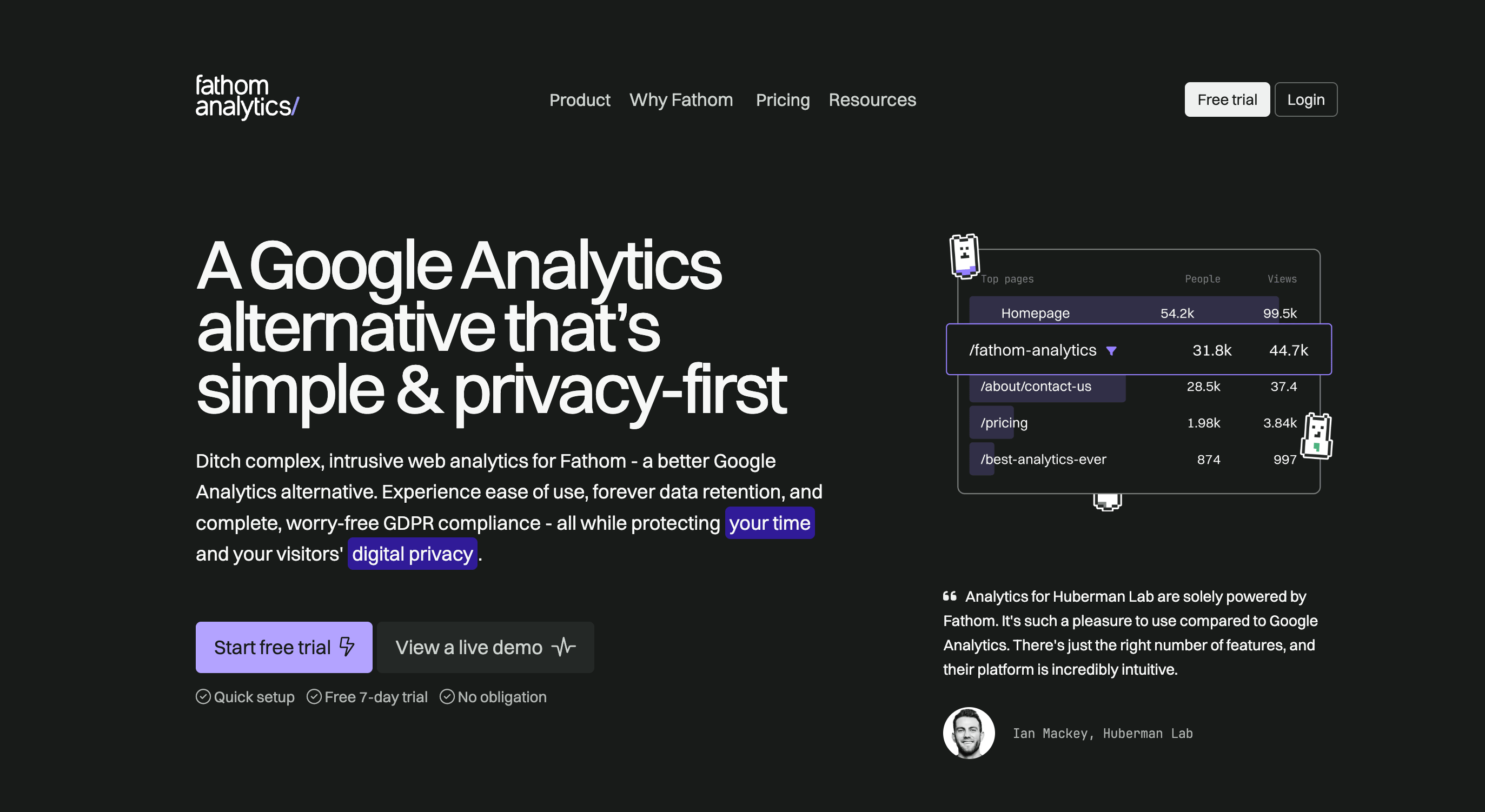
Fathom entered the privacy-first analytics space around the same time as Plausible and if I’m being honest, the two are often mentioned in the same breath and for good reason. They share similar philosophies: no cookies, no tracking, GDPR compliance by default and a clean interface that doesn’t require a PhD to understand. But Fathom has carved out its own identity with a slightly different approach and, frankly, a bit more personality in how they position themselves.
What immediately stands out about Fathom is their emphasis on speed and reliability. Their script is even lighter than most competitors and they’re obsessive about uptime and performance. I remember reading somewhere that their team takes pride in being one of the fastest-loading analytics solutions on the market and from what I’ve seen, they live up to that claim. For teams worried about site speed or Core Web Vitals, Fathom genuinely won’t slow you down, which is more than I can say for GA4.
The dashboard is clean, intuitive and refreshingly straightforward. You get your essential metrics: pageviews, unique visitors, top pages, referral sources, device breakdowns - all presented in a way that doesn’t feel overwhelming. There’s no learning curve, no endless clicking through menus and no feature bloat. You log in, see what you need and get on with your day. For small teams, solo founders or agencies managing multiple client sites, this simplicity is genuinely valuable.
Fathom also offers some nice quality-of-life features that Plausible doesn’t emphasize as much. For instance, their email reports are well-designed and actually useful - you can get weekly or monthly summaries sent directly to your inbox without having to log in. They also support custom domains for your analytics, which is a small but appreciated touch for branding-conscious teams. And if you’re managing analytics for clients, Fathom makes it easy to share dashboards or create white-labeled reports.
But here’s where we run into the same problem as Plausible: Fathom is deliberately minimal and that means it lacks depth when you need it. There’s no advanced segmentation, no funnel tracking or behavioral insights. It’s purely focused on traffic analytics: who visited, where they came from, what they looked at. If you need to understand user behavior beyond basic pageviews, Fathom won’t get you there.
And just like Plausible, Fathom struggles with the modern reality of AI traffic. There’s basic bot filtering to keep spam and obvious crawlers out of your data, but there’s no native AI chatbot detection, no visibility into crawler activity and no insights into when tools like ChatGPT or Perplexity are citing your content. If you’re trying to track how AI assistants discover and reference your pages, or understand your zero-click search visibility, Fathom simply doesn’t have the infrastructure to give you those answers. You’ll know how many real humans visited, but the AI layer is completely invisible.
Pricing is where Fathom positions itself slightly higher than Plausible. Plans start at $14/month for up to 100,000 pageviews, which is reasonable but not the cheapest option out there. As your traffic grows, so does the cost, though they do offer unlimited sites on all plans, which is a nice perk if you’re managing multiple properties. Still, when free alternatives like Cloudflare exist, it’s hard to justify the expense unless you really value Fathom’s specific approach to simplicity and design.
One thing I genuinely appreciate about Fathom is their transparency and indie ethos. They’re a small, bootstrapped team and they’re vocal about building a sustainable, privacy-respecting business without venture capital backing or aggressive growth tactics. There’s something refreshing about that in an industry dominated by giants like Google. Your data stays on their servers and they’re clear that they’ll never sell or monetize your visitor information.
I’d say it’s an excellent choice for teams that want dead-simple, privacy-first analytics and don’t need advanced features or AI traffic insights. If you run a blog, a portfolio site, a small business or a handful of client websites and just need clean, reliable traffic data without the complexity or creepiness of GA4, Fathom delivers exactly that. The interface is polished, the performance is solid and the philosophy is genuinely privacy respecting.
But if you’re navigating the AI era and need to understand how bots, crawlers and AI assistants interact with your content - or if you need deeper behavioral analytics beyond basic traffic stats, Fathom won’t give you what you need. It’s intentionally limited and that’s both its charm and its constraint. It does one thing very well: simple, ethical web analytics. Just know that in 2026 and beyond, “simple” might not be enough anymore.
6. Simple Analytics
- Best for minimalist tracking
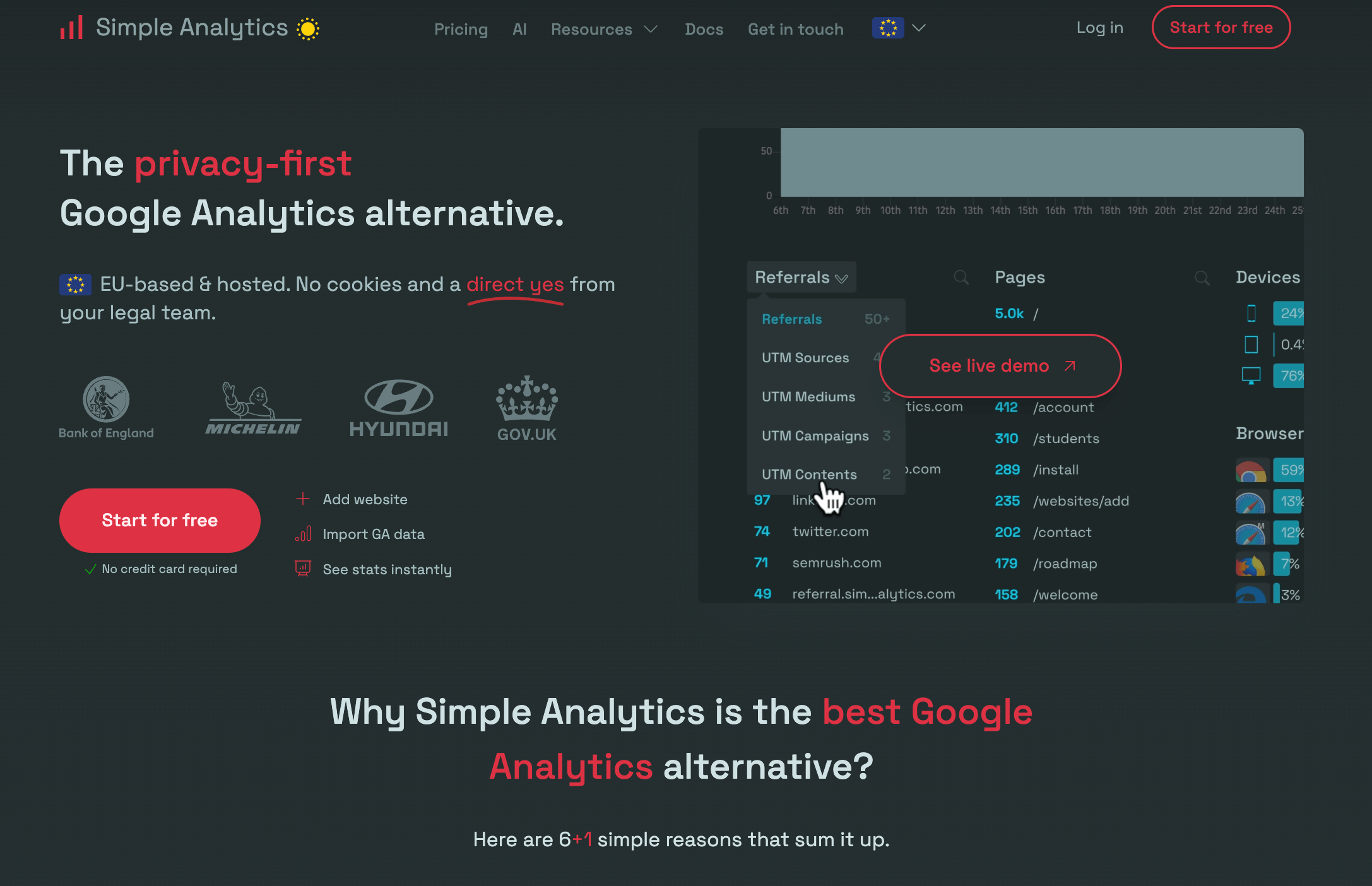
Simple Analytics does exactly what its name suggests - it keeps things simple. Launched in 2018 by Adriaan van Rossum, a Dutch developer who got fed up with the complexity and privacy invasiveness of Google Analytics, Simple Analytics is built on a straightforward philosophy: show you what matters, skip everything else and respect your visitors’ privacy while doing it.
The first thing you notice when you log into Simple Analytics is how clean the dashboard is. And I mean genuinely clean - not just “minimal” in the way some tools claim to be minimal but still pack in dozens of features you’ll never use.
Simple Analytics shows you pageviews, referrers, top pages, countries and devices. That’s pretty much it. There’s no clutter, no overwhelming menus, no features you need to learn. You open it, you see your traffic, you close it. For teams that just need to know is anyone visiting my site and where are they coming from this is refreshingly efficient.
Like Plausible and Fathom, Simple Analytics is fully GDPR compliant without requiring cookie consent banners. The script is lightweight (under 3KB), loads fast and won’t impact your site performance. It’s privacy-first by design, meaning no personal data is collected, no tracking across sites and no feeding visitor information into advertising networks. Your data stays yours and Simple Analytics makes it very clear they have zero interest in monetizing it.
What I appreciate about Simple Analytics is how opinionated they are about simplicity. While other tools slowly add features to compete, Simple Analytics has mostly resisted feature creep. They’ve added a few things over the years - events tracking, automated email reports, API access etc., but they’ve been deliberate about not turning into a bloated analytics platform. It’s almost like they decided early on that they’d rather be really good at one thing than mediocre at ten things.
But this deliberate simplicity comes with trade-offs. There’s no funnel analysis, no user behavior tracking, no session recordings, no heatmaps. If you need to understand how users navigate through your website, where they bounce off in a conversion flow or what buttons they’re clicking, Simple Analytics won’t help you. It’s purely traffic analytics: who came, from where and what pages they looked at. That’s the deal.
And when it comes to AI traffic, we’re in the same boat as Plausible and Fathom. Simple Analytics has basic bot filtering to keep spam and obvious crawlers out of your numbers, but there’s no AI chatbot detection, no crawler activity insights, and no visibility into when tools like ChatGPT or Perplexity reference your content. If understanding your AI visibility or tracking zero-click searches is important to you, Simple Analytics doesn’t have the infrastructure to deliver that. It’ll tell you about human visitors, but the AI layer is completely invisible.
Pricing is straightforward - $19/month for up to 100,000 pageviews, with higher tiers for more traffic. It’s competitive but not the cheapest option, especially when you consider that Cloudflare offers similar (and in some ways better) traffic analytics for free. You’re essentially paying for the clean interface, the privacy philosophy and the simplicity, which is fair if those things matter to you, but harder to justify if you’re budget conscious or need more analytical depth.
One thing Simple Analytics does better than most competitors is their public roadmap and transparency. They’re open about what they’re building, what they’re not building and why. There’s no VC pressure to pivot or chase features - they’re a small, bootstrapped team focused on doing one thing well. I think there’s something admirable about that approach, even if it means the product won’t evolve as quickly as venture-backed alternatives.
Simple Analytics is a solid choice for teams that genuinely just need basic traffic data and nothing more. If you run a blog, a simple marketing site or a small SaaS product and want to know if people are visiting without dealing with GA4’s complexity or privacy concerns, Simple Analytics delivers exactly that. The interface is clean, the philosophy is sound and the execution is polished.
But if you need behavioral insights, conversion tracking or visibility into how AI is discovering and using your content, Simple Analytics won’t cut it. It’s deliberately limited and that’s by design. The question is whether “deliberately limited” still works in 2026, when analytics requirements are expanding rapidly and AI traffic is becoming a significant part of the web landscape.
Simple Analytics does what it promises: simple, privacy-first traffic analytics. Just make sure “simple” is actually what you need before committing to it.
7. Matomo
- Best for self-hosted control
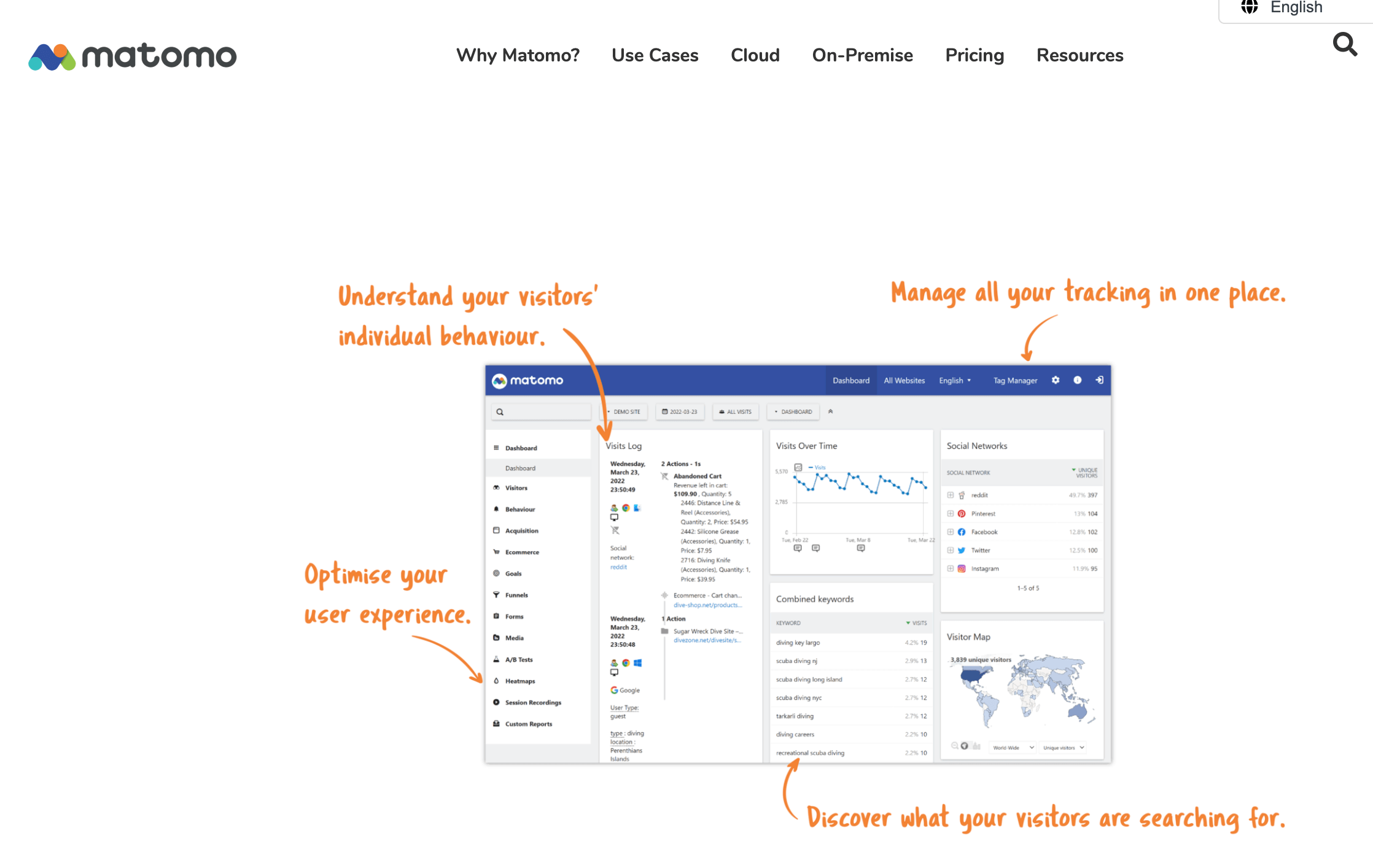
Matomo has been around since 2007, back when it was called Piwik, making it one of the oldest players in the web analytics game. It’s the open-source alternative that privacy advocates and tech teams have long turned to when they wanted full control over their data without handing it over to Google. And I think that’s still Matomo’s biggest selling point today - complete data ownership and the flexibility to host it yourself if you want to.
Unlike the newer, minimalist privacy-first tools we’ve discussed, Matomo is feature-rich. I’m talking GA4-level feature depth: heatmaps, session recordings, A/B testing, funnel analysis, form analytics, media tracking - the whole suite. If you need advanced analytics capabilities but refuse to give your data to Google, Matomo is probably the most comprehensive alternative on the market. It’s not trying to be simple or minimalist, it’s trying to be powerful while respecting privacy.
The self-hosted option is where Matomo really shines for certain teams. You can download it, install it on your own server and have complete control over every aspect of your analytics data. Nothing leaves your infrastructure, you own the entire stack and you can customize it however you need. For enterprises with strict data governance requirements, government agencies, healthcare organizations or just paranoid tech teams who don’t trust cloud services, this is invaluable. The self-hosted version is free, though you’ll need technical resources to set it up, maintain it and keep it secure.
But here’s the thing about self-hosting: it’s not for everyone. Unless you have a development team or at least someone comfortable with server management, database optimization and regular updates, the self-hosted route quickly becomes a burden. I’ve seen teams spin up Matomo with enthusiasm only to abandon it six months later because maintaining it became too much work. It’s powerful, but it demands resources, both technical expertise and server infrastructure.
If self-hosting sounds like a headache, Matomo also offers a cloud-hosted version. It’s essentially the same platform, but they handle all the infrastructure, updates and maintenance for you. The trade-off? It’s not cheap. Cloud plans start at €19/month for smaller sites, but for anything approaching serious traffic (100,000+ pageviews), you’re looking at €29/month and up, scaling quickly from there. Compared to Plausible or Fathom, you’re paying more, though you’re also getting significantly more features.
Now, when it comes to AI traffic and the modern analytics challenges we’ve been discussing, Matomo sits in an interesting middle ground. It has robust bot detection and filtering capabilities, but they require manual configuration. You can set up custom filters, use regular expressions to identify AI crawlers and exclude bot traffic from your reports, but it’s not automated or out of the box the way it is with Peasy or Cloudflare. If you know what you’re doing, you can make Matomo track AI bots effectively. If you don’t, you’ll be Googling support forums and stitching together solutions yourself.
There’s also no native AI chatbot traffic detection or crawler activity insights. Matomo will give you granular data on who visited your site and what they did, but understanding when ChatGPT or Perplexity cited your content in a zero-click search? That’s not something Matomo is built to surface easily. You’d need to manually analyze referrer data, set up custom dimensions, and essentially build that layer yourself. It’s possible, but it’s not seamless.
What Matomo does exceptionally well is give you control. Want to track custom events? Build your own dashboards? Set up complex segmentation? Export raw data for your own analysis? Matomo lets you do all of that. It’s flexible, powerful and genuinely privacy-respecting: fully GDPR compliant, with options to anonymize IPs, respect Do Not Track signals and avoid cookies entirely if you configure it that way.
The downside? Matomo’s interface feels dated compared to modern tools. It’s functional, but it lacks the polish and intuitiveness of newer platforms. The learning curve is real: you’re not going to log in and immediately understand everything like you would with Fathom, Plausible or Peasy. It feels more like enterprise software than a consumer product, which makes sense given its roots, but it can be intimidating for smaller teams or non-technical users.
Matomo is the best choice for teams that need GA4-level features without giving their data to Google and who either have the technical resources to self-host or the budget to pay for cloud hosting. If you’re an enterprise with strict compliance requirements, a government agency, a healthcare provider, or a privacy-focused tech company that wants full control over analytics infrastructure, Matomo is probably your best bet.
But if you’re a small team, a solo founder or a marketing agency without dev support, Matomo might be overkill - or worse, a maintenance nightmare. The power is there, but it comes with complexity. And in the AI era, unless you’re willing to manually configure bot filtering and build your own tracking for AI traffic, you’ll miss out on insights that other tools deliver automatically.
Matomo is powerful, privacy-respecting and gives you complete control. Just make sure you actually need that level of control and have the resources to manage it before committing.
8. Umami
- Best for open-source flexibility
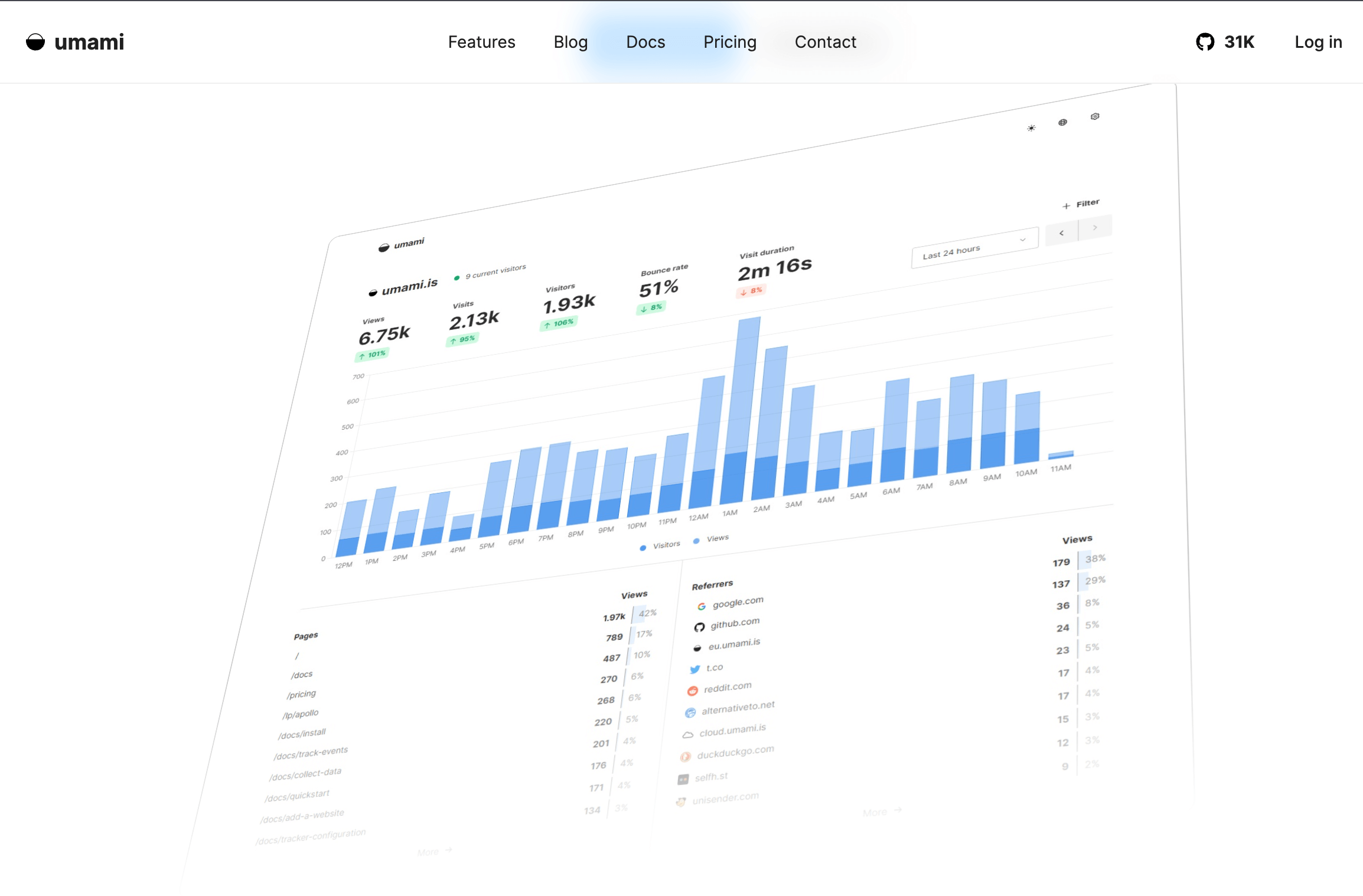
Umami is the open-source underdog that’s been building momentum in the privacy-first analytics space. Originally launched in 2020, it positioned itself as a simpler, more modern alternative to Matomo, giving developers the self-hosted control they wanted without the complexity and dated interface that Matomo is known for. And in November 2025, they released Umami v3, which brought some genuinely interesting updates that make it worth paying attention to.
What I like about Umami is that it feels like it was built by developers, for developers. The setup is straightforward if you’re comfortable with Node.js and databases, the codebase is clean and the documentation is actually helpful. It’s open-source and free to self-host, which immediately puts it in the same category as Matomo but with a more modern tech stack and a less intimidating interface. For teams that want full data ownership without paying for cloud hosting or dealing with Matomo’s complexity, Umami hits a sweet spot.
The dashboard is clean and functional—not as polished as Fathom or Simple Analytics, but leagues ahead of Matomo’s dated UI. You get your core metrics: pageviews, unique visitors, bounce rates, top pages, referrers, devices, and countries. It’s straightforward without being overly minimal. With v3, they’ve improved the UI significantly, adding better filtering, more intuitive navigation, and a cleaner overall design. It’s clear they’re listening to feedback and iterating thoughtfully.
One of the standout features in Umami v3 is the improved segmentation and cohort analysis. You can now filter data more granularly, track events more flexibly and get better insights into user behavior over time. This puts Umami ahead of the basic privacy-first tools like Simple Analytics or Fathom in terms of analytical depth, though it’s still not as feature-rich as Matomo’s full suite. They’ve also added better API support and team collaboration features, which makes it more viable for agencies or teams managing multiple properties.
Umami also offers a cloud-hosted version if you don’t want to deal with self-hosting. Pricing starts at $9/month for smaller sites, scaling up as your traffic grows. It’s competitive with Plausible and cheaper than Fathom for similar traffic levels, though you’re getting a slightly less polished product in exchange. The cloud option makes sense if you like Umami’s approach but don’t have the time or technical resources to maintain a self-hosted instance.
Now, when it comes to AI traffic and the modern challenges we’ve been discussing, Umami is in a similar position to most other privacy-first tools. There’s basic bot filtering to keep spam and obvious crawlers out of your data, but no native AI chatbot detection, no automated crawler activity insights, and no visibility into zero-click searches or when AI assistants cite your content. You could potentially build custom tracking for this using their event system and API, but it’s not something that works out of the box. If you need AI traffic visibility, you’ll be doing the heavy lifting yourself.
What Umami does well is strike a balance between simplicity and flexibility. It’s not as feature-packed as Matomo, but it’s more capable than the ultra minimal tools like Simple Analytics. It’s privacy-respecting, GDPR compliant and gives you full data ownership if you self-host. The v3 release shows they’re actively developing and improving the platform, which is encouraging - plenty of open-source projects stagnate, but Umami feels like it has genuine momentum behind it.
The trade-off, as with any self-hosted solution, is that you need technical competence. If you’re comfortable spinning up a Node.js app, managing a database and keeping things updated and secure, Umami is a solid choice. If that sounds like a headache, the cloud version is there, but at that point you’re paying similar prices to more polished alternatives without necessarily getting better features.
So where does Umami fit in 2026? I’d say it’s a great option for developer-focused teams or agencies that want open-source, self-hosted analytics with a modern tech stack and don’t need the complexity of Matomo. If you’re already running your own infrastructure and want privacy-first analytics that you fully control, Umami is genuinely appealing. The v3 updates show they’re serious about improving the product and the community around it seems healthy.
But if you’re a small marketing team without dev resources, or if you need visibility into AI traffic and crawler activity, Umami probably isn’t your best bet. It’s developer-friendly, not marketer-friendly, and the AI-era analytics features just aren’t there yet. It’s a solid tool for what it does—modern, open-source, privacy-first web analytics. Just know that “solid” doesn’t necessarily mean “complete” in 2026.
Umami is worth watching and v3 is a meaningful step forward. Whether it’s the right choice for you depends on whether you value open-source flexibility over out of the box AI insights and whether you have the technical chops to make the most of it.
Choosing the right web analytics tool
The web analytics landscape has fundamentally changed. What worked in 2020 doesn’t fully address the challenges of 2026, where AI assistants are reshaping how people discover content and privacy regulations continue to tighten.
Your choice ultimately depends on your priorities:
Choose Peasy if you need comprehensive web analytics with AI visibility, crawler tracking and citation insights - especially if you’re focused on content performance in the age of AI search.
Choose Cloudflare if you’re already in their ecosystem or need server-side accuracy without additional costs.
Choose GA4 if you’re heavily invested in Google Ads and need deep enterprise integration, despite its complexity and AI traffic limitations.
Choose Plausible or Fathom if simplicity and privacy are your top priorities and you don’t need AI traffic insights or advanced analytics.
Choose Matomo if you need GA4-level features with complete data ownership and have the technical resources to manage it.
Choose Simple Analytics if you want the absolute minimum tracking footprint with strong privacy principles.
Choose Umami if you’re a developer-focused team wanting open-source flexibility with self-hosting control.
The era of one-size-fits-all analytics is over. Understanding your traffic in 2026 and beyond means choosing tools that match not just your current needs, but the reality of how content discovery is evolving.
Attribute every AI visit to revenue and growth.
Easy setup, instant insights.

based on real user feedback